Managing projects effectively requires the right tools to keep teams aligned, tasks organized, and deadlines met. With project management software, teams can streamline workflows, improve collaboration, and boost productivity across departments.
The project management software market is experiencing rapid growth, with research showing that 77% of high-performing projects use project management software. As remote and hybrid work models become standard, organizations increasingly rely on digital tools to coordinate distributed teams, track progress in real-time, and maintain visibility across complex initiatives.
In this guide, you'll explore the top 10 picks available in 2026 to make an informed decision.
Key Takeaways
- The best project management software combines task management, collaboration tools, and resource planning in one platform
- Pricing ranges from free plans to enterprise solutions starting at $5-25 per user per month
- AI-powered features are becoming standard, automating scheduling, resource allocation, and project setup
- Cloud-based solutions with mobile apps enable real-time collaboration for distributed teams
- Industry-specific tools like Fieldwire cater to construction, while platforms like Wrike serve enterprise needs
Evaluation Criteria
To compile this list, I analyzed each platform's feature set, pricing structure, user reviews, and industry positioning. I evaluated core project management capabilities, collaboration tools, resource management features, and integration ecosystems. Special attention was given to pricing transparency, platform availability, and suitability for different team sizes and industries. Each tool was assessed based on its unique strengths, target audience, and value proposition to ensure a diverse selection that addresses various project management needs.
- Core Project Management Features: When evaluating project management software, examine the core capabilities that enable effective planning and execution. Look for Gantt charts, task dependencies, milestone tracking, and multiple view options (Kanban, calendar, list). The software should support your preferred methodology—whether waterfall, agile, or hybrid approaches—and provide flexible workflows that adapt to your team's processes.
- Collaboration and Communication Tools: Modern project management requires seamless team collaboration. Assess built-in communication features like real-time messaging, @mentions, file sharing, and commenting on tasks. The best platforms integrate collaboration directly into the workflow, eliminating the need to switch between multiple tools and ensuring all project-related discussions are centralized and searchable.
- Resource Management and Time Tracking: For teams managing multiple projects simultaneously, resource allocation capabilities are critical. Evaluate workload visualization, capacity planning, and time tracking features. Look for platforms that show team availability, prevent overallocation, and provide insights into billable versus non-billable hours—especially important for agencies and professional services firms.
- Reporting and Analytics: Data-driven decision making requires robust reporting capabilities. The software should offer customizable dashboards, real-time progress tracking, and exportable reports. Advanced platforms now include AI-powered analytics that identify bottlenecks, predict project risks, and provide actionable insights to keep initiatives on track and within budget.
- Integration Ecosystem and Scalability: Your project management software should connect seamlessly with your existing tech stack. Evaluate available integrations with tools like Slack, Microsoft Teams, Google Workspace, and industry-specific applications. Additionally, consider scalability—whether the platform can grow with your organization, support increasing user counts, and handle more complex project portfolios without performance degradation.
- Pricing Transparency and Value: Understanding the total cost of ownership is essential. Look beyond the base subscription price to identify what features are included at each tier, whether there are additional costs for storage or integrations, and how pricing scales as your team grows. The best value comes from platforms that offer transparent pricing, generous free plans or trials, and clear upgrade paths.
Comparison Table
1. Hive
Best for All-in-one solution with AI automation
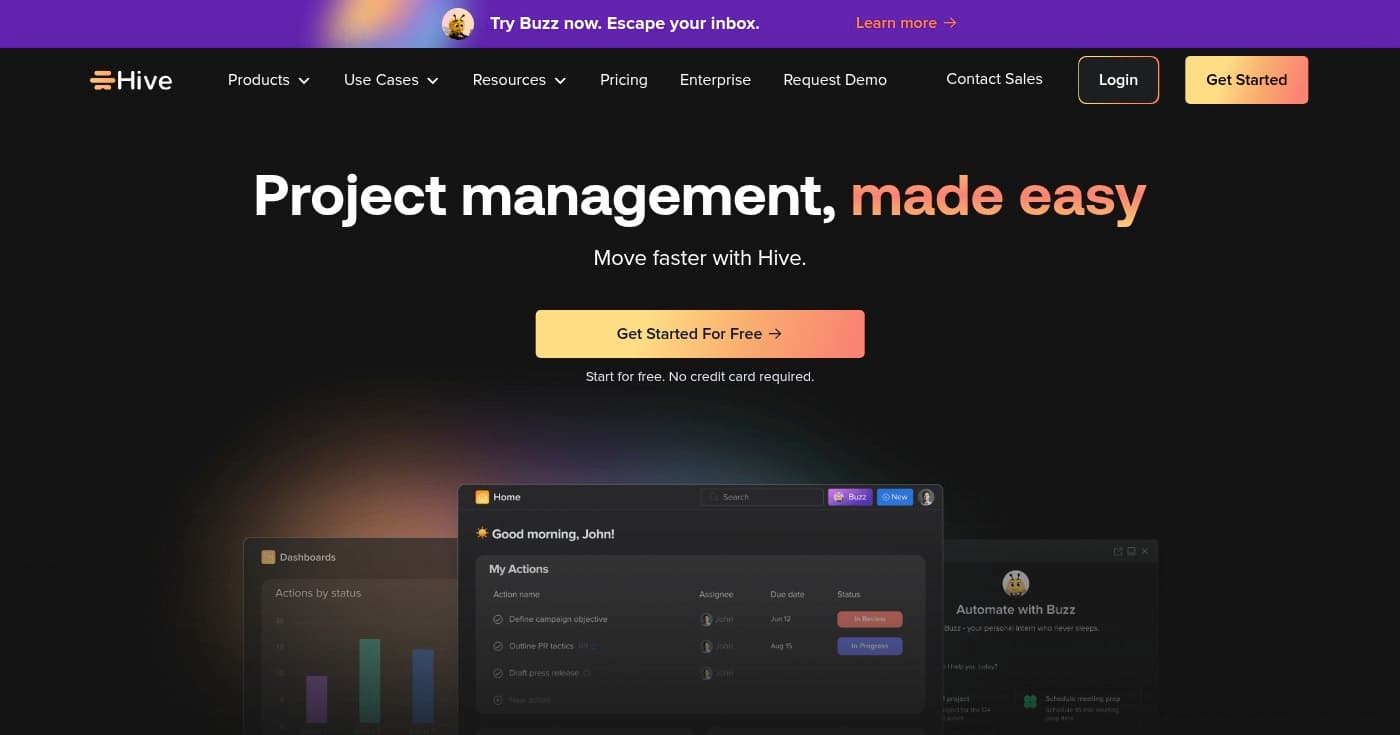
Hive is a comprehensive project management software designed to help teams of all sizes track tasks, manage projects, and streamline workflows in one centralized platform. What sets Hive apart is its Buzz AI automation capabilities, which reduce manual work and accelerate project execution.
The platform offers extensive flexibility with customizable workflows that adapt to different project types and industries. Whether you're managing marketing campaigns, product development, or client deliverables, Hive provides the tools to plan, execute, and monitor progress effectively.
With features spanning project planning, time tracking, resource management, and team collaboration, Hive eliminates the need for multiple disconnected tools. The platform also includes client portals for external collaboration and pre-built templates to accelerate project setup.
Key Features
- Buzz AI Automation: AI-powered automation handles repetitive tasks, generates project summaries, and provides intelligent suggestions to streamline workflows and save time.
- Comprehensive Time Tracking: Track billable and non-billable hours with built-in timers, timesheets, and reporting to ensure accurate client billing and resource utilization insights.
- Resource Management and Allocation: Visualize team capacity, allocate resources effectively, and prevent burnout by balancing workloads across projects and team members.
- Proofing and Approvals: Streamline creative review processes with markup tools, version control, and approval workflows that keep stakeholders aligned and projects moving forward.
- Extensive Integration Ecosystem: Connect with 1,000+ apps including Slack, Zoom, Google Workspace, and Salesforce to centralize work and eliminate context switching.
Pricing
Hive offers a generous free plan for small teams, with the Pro plan starting at $5 per user per month and Enterprise at $12 per user per month. For detailed feature comparisons, visit their pricing page.
- Free Plan: $0
- Pro Plan: $5/user/month
- Enterprise Plan: $12/user/month
View pricing details
Pros
- All-in-one platform eliminates need for multiple tools
- AI-powered automation reduces manual administrative work
- Extensive integrations with 1,000+ apps
- Customizable workflows adapt to any industry or project type
- Generous free plan available for small teams
Cons
- Steep learning curve due to comprehensive feature set
- Enterprise pricing requires contacting sales
- May be overwhelming for teams needing simple task management
2. Microsoft Project
Best for Microsoft 365 users needing centralized visibility
Microsoft Project is a powerful yet accessible project management tool that helps teams plan, manage, and deliver work effortlessly—from one-time projects to large-scale initiatives. As part of the Microsoft 365 ecosystem, it provides seamless integration with familiar tools like Teams, SharePoint, and Outlook.
The platform excels at providing centralized visibility across programs and projects through visual, interactive roadmaps. With Power BI integration, teams can create rich, interactive dashboards that transform project data into actionable insights.
Microsoft Project includes built-in customizable templates based on industry best practices, which significantly reduce the time required to set up new projects. The familiar interface and scheduling features minimize training time for teams already using Microsoft products.
Key Features
- Timeline View with Gantt Charts: Visualize project schedules, dependencies, and critical paths with interactive Gantt charts that make complex timelines easy to understand and adjust.
- Centralized Program and Project Roadmap: Gain portfolio-level visibility across multiple projects and programs with interactive roadmaps that show progress, dependencies, and resource allocation.
- Power BI Integration: Create sophisticated dashboards and reports that combine project data with business intelligence for deeper insights and executive-level reporting.
- Built-in Industry Templates: Accelerate project setup with customizable templates based on industry best practices for construction, IT, marketing, and other sectors.
- Cloud-Based Collaboration: Enable real-time collaboration across distributed teams with cloud-based project planning that syncs across devices and integrates with Microsoft 365 apps.
Pricing
Microsoft Project is included with various Microsoft 365 subscriptions, with Business Basic starting at $6 per user per month and Business Standard at $12.50 per user per month. For complete pricing details, visit their pricing page.
- Microsoft 365 Personal: $9.99/month or $99.99/year
- Microsoft 365 Family: $12.99/month or $129.99/year
- Microsoft 365 Business Basic: $6/user/month
- Microsoft 365 Business Standard: $12.50/user/month
- Microsoft 365 Business Premium: $22/user/month
View pricing details
Pros
- Seamless integration with Microsoft 365 ecosystem
- Familiar interface reduces training time for Microsoft users
- Built-in templates accelerate project setup
- Centralized visibility across multiple projects and programs
- Power BI integration enables advanced analytics
Cons
- Requires Microsoft 365 subscription
- Advanced roadmap features limited to higher-tier plans
- Power BI may require separate licensing for full functionality
- Can be complex for teams needing simple task management
3. Zoho Projects
Best for Customizable solution with Zoho ecosystem integration
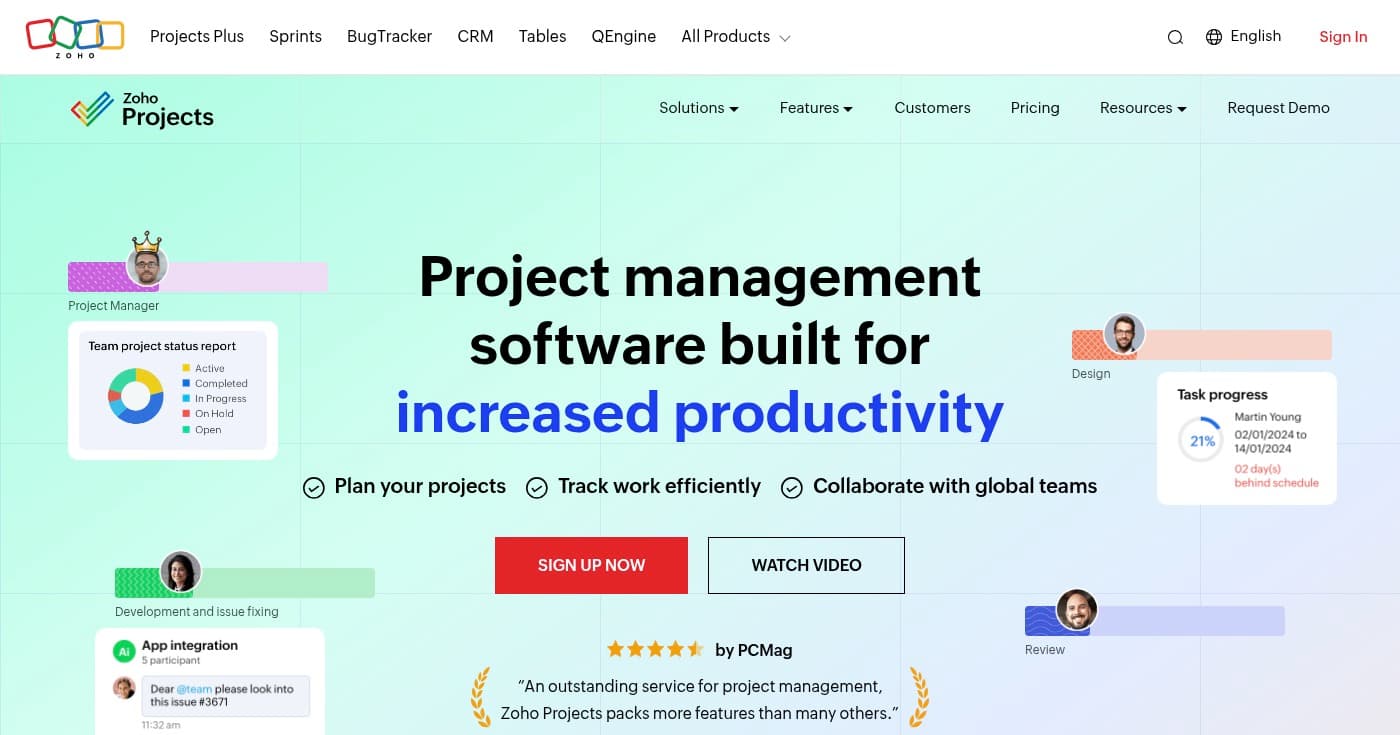
Zoho Projects is a leading project management software designed to increase productivity and improve collaboration for dynamic teams worldwide. The platform enables users to plan projects, track work efficiently, and collaborate with global teams through comprehensive features and deep customization options.
What makes Zoho Projects particularly powerful is its seamless integration with the broader Zoho ecosystem, including Zoho CRM, Zoho Invoice, and 50+ other applications. This interconnectedness creates a unified business management system where project data flows automatically between tools.
The platform offers extensive customization capabilities, allowing teams to create personalized fields, layouts, and statuses that match their specific workflows. With Gantt charts, timesheets, task automation, and mobile apps, Zoho Projects provides everything teams need to manage projects from initiation to completion.
Key Features
- Gantt Charts for Project Planning: Create visual project timelines with drag-and-drop Gantt charts that show task dependencies, critical paths, and resource allocation across your project portfolio.
- Timesheet Module: Track billable and non-billable hours with comprehensive timesheets that integrate with Zoho Invoice for automatic invoice generation based on logged time.
- Task Automation with Drag-and-Drop: Automate repetitive workflows with visual automation builders that trigger actions based on task status changes, due dates, or custom conditions.
- Deep Customization Options: Customize every aspect of your project workspace with personalized fields, layouts, statuses, and workflows that match your team's unique processes.
- Zoho Ecosystem Integration: Connect seamlessly with 50+ Zoho apps and third-party tools to create a unified business management system where data flows automatically between platforms.
Pricing
Zoho Projects offers a free plan for small teams, with paid plans starting at approximately $90 per user per month (billed annually) for the Standard tier. For detailed pricing information, visit their pricing page.
- Free Plan: $0
- Essentials: Contact for pricing
- Standard: $90/user/month (billed annually)
View pricing details
Pros
- Comprehensive feature set with Gantt charts and automation
- Seamless integration with 50+ apps in the Zoho ecosystem
- Highly customizable to match specific business workflows
- Mobile apps enable remote team collaboration
- Automatic invoice generation from tracked time
Cons
- Pricing structure can be complex with multiple tiers
- Learning curve for advanced customization features
- Full functionality requires integration setup across Zoho apps
4. Fieldwire
Best for Construction teams managing jobsites
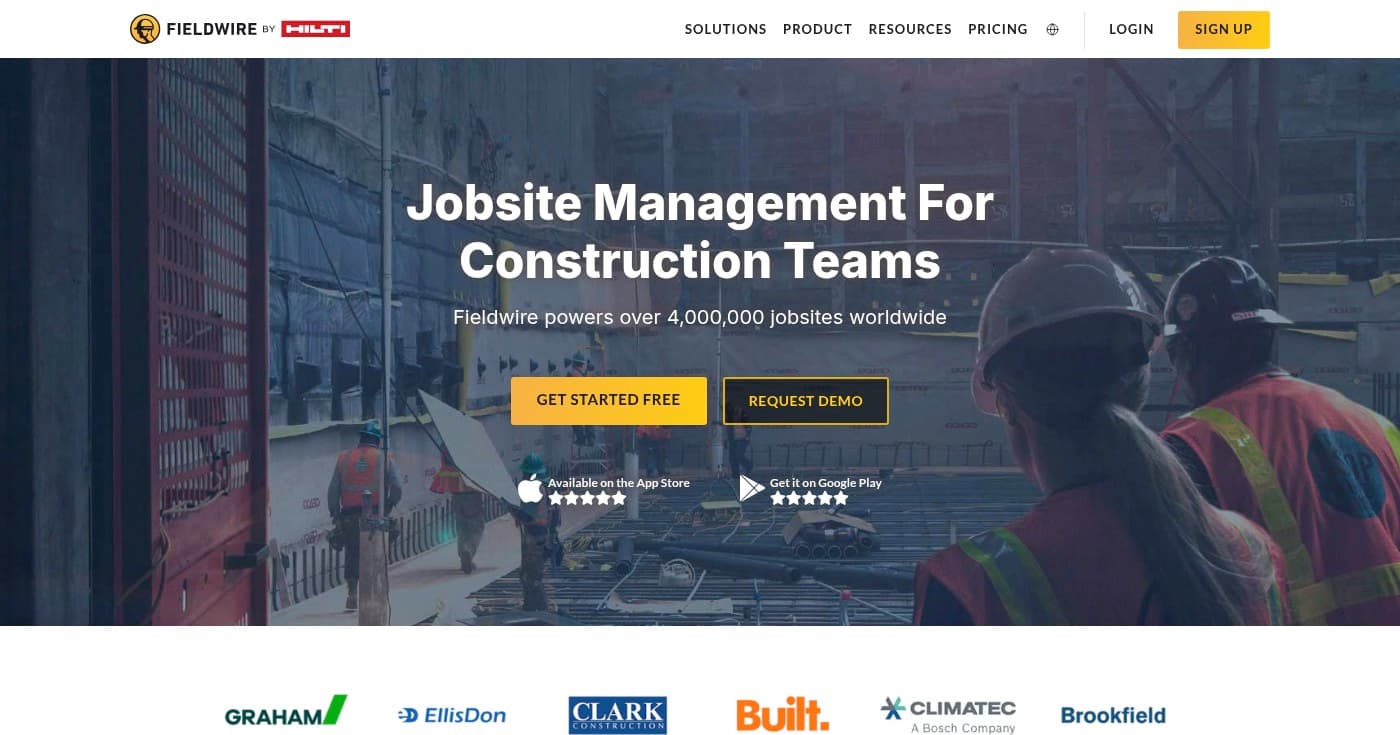
Fieldwire is a real-time jobsite management software specifically designed for construction teams to collaborate and share information across entire projects. Powering over 4,000,000 jobsites worldwide, Fieldwire serves as the all-in-one tool where foremen, project managers, and entire project teams coordinate efficiently.
The platform excels at bridging the gap between office and field teams with mobile plan viewing, real-time task assignment, and offline editing capabilities. Construction professionals can access the latest drawings, mark up plans, create punch lists, and document as-built conditions directly from their mobile devices—even without internet connectivity.
Fieldwire is trusted by major construction companies and has become an industry standard for digital jobsite management. The platform reduces the need for dedicated QA/QC personnel by enabling real-time collaboration, documentation, and quality control throughout the construction process.
Key Features
- Mobile Plan Viewing with Versioning: Access the latest construction drawings on mobile devices with automatic version control, auto-hyperlinking between sheets, and offline viewing capabilities for jobsite use.
- Real-Time Task Assignment and Collaboration: Assign tasks to specific team members or subcontractors with due dates, priorities, and location markers that sync instantly across all devices for immediate action.
- Markups and As-Built Documentation: Create detailed markups on plans with photos, videos, and annotations that document as-built conditions and create a permanent record of field changes.
- Punch Lists and Inspections: Streamline quality control with digital punch lists and inspection checklists that track deficiencies, assign responsibility, and verify completion in real-time.
- Offline Editing Capabilities: Continue working on plans, tasks, and documentation even without internet connectivity, with automatic syncing when connection is restored.
Pricing
Fieldwire offers a free Basic plan, with the Pro plan starting at $39 per user per month (billed annually), Business at $64 per user per month, and Business Plus at $89 per user per month. For complete feature comparisons, visit their pricing page.
- Basic: $0
- Pro: $39/user/month (billed annually)
- Business: $64/user/month (billed annually)
- Business Plus: $89/user/month (billed annually)
View pricing details
Pros
- Purpose-built for construction industry workflows
- Real-time collaboration between office and field teams
- Works offline with automatic syncing when connected
- Trusted by 4,000,000+ jobsites worldwide
- Reduces need for dedicated QA/QC personnel
Cons
- Industry-specific focus limits use outside construction
- Requires mobile device adoption across entire team
- Learning curve for teams transitioning from paper-based processes
5. Paymo
Best for Small businesses needing time tracking and invoicing
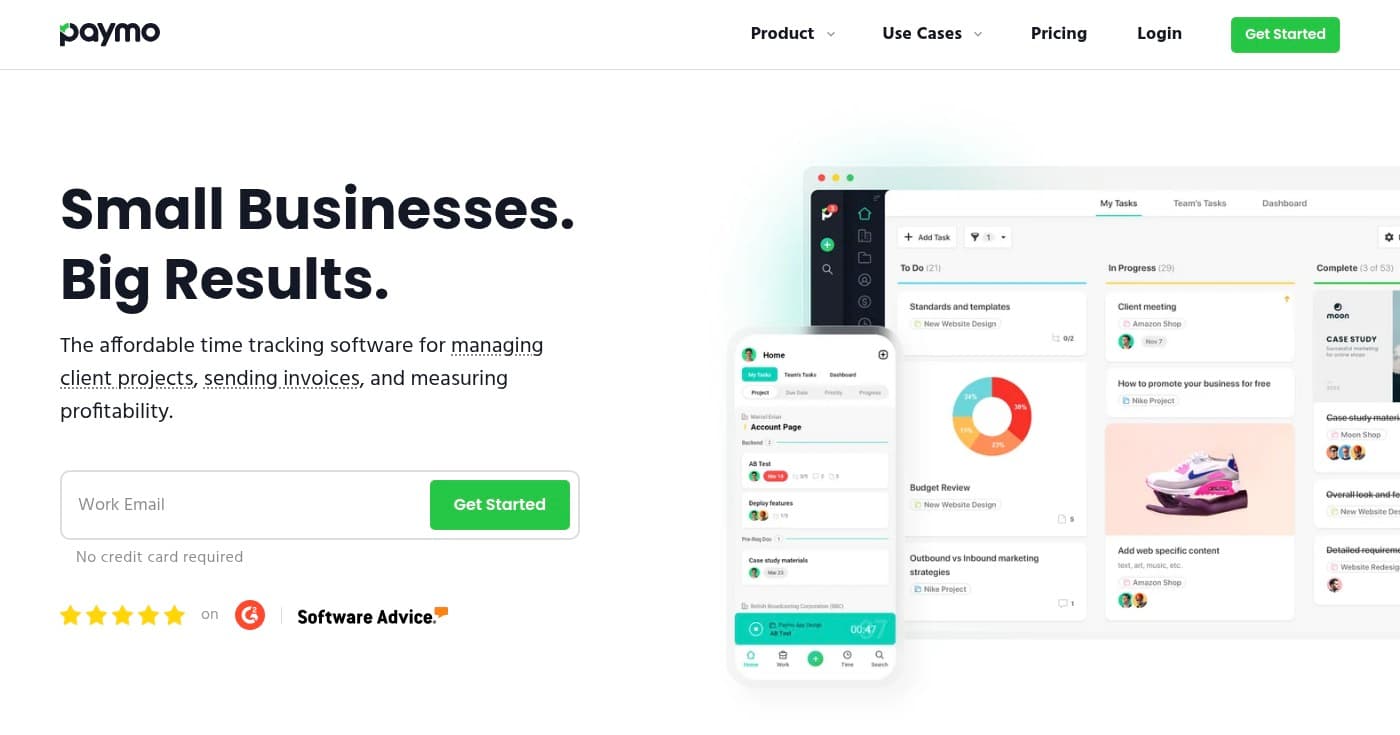
Paymo is an affordable time tracking software that combines project management, task management, and invoicing capabilities in one integrated platform. Designed specifically for small businesses and creative agencies, Paymo helps teams track time accurately, manage client projects efficiently, and ensure precise billing from start to finish.
The platform offers automatic time tracking that captures work activity in the background, eliminating the need for manual time entry and ensuring no billable hours are lost. This feature is particularly valuable for agencies and consultants who bill clients based on time spent.
Paymo provides multiple task views including Kanban boards, to-do lists, spreadsheets, and calendars, allowing teams to work in their preferred format. The integrated invoicing and estimates feature automatically generates invoices based on tracked time and expenses, streamlining the billing process and improving cash flow.
Key Features
- Automatic Time Tracking: Capture work activity automatically in the background without manual timers, ensuring every billable minute is recorded and no revenue is lost.
- Integrated Invoicing and Estimates: Generate professional invoices and estimates automatically based on tracked time, expenses, and project budgets, with support for online payments.
- Multiple Task View Options: Switch between Kanban boards, to-do lists, spreadsheet views, and calendars to match your team's preferred workflow and project visualization needs.
- Team Scheduling and Leave Planner: Visualize team availability, schedule resources across projects, and manage time off requests to prevent overallocation and maintain realistic timelines.
- File Proofing and Collaboration: Review creative deliverables with markup tools, version control, and approval workflows that keep clients and team members aligned throughout the project.
Pricing
Paymo offers a free plan for individuals, with the Solo plan at $5.90 per month, Plus at $10.90 per user per month, and Pro at $16.90 per user per month. For detailed feature comparisons, visit their pricing page.
- Free: $0/month
- Solo: $5.90/month
- Plus: $10.90/user/month
- Pro: $16.90/user/month
View pricing details
Pros
- Affordable pricing ideal for small businesses and freelancers
- Comprehensive feature set combining time tracking, project management, and invoicing
- Automatic time tracking ensures accurate billing
- Multiple task view options accommodate different work styles
- Available on all platforms including desktop and mobile
Cons
- Feature-rich interface may have learning curve for new users
- Advanced features limited to higher-tier plans
- May be too complex for teams needing only basic task management
6. ProjectManager
Best for Complex projects requiring detailed resource allocation
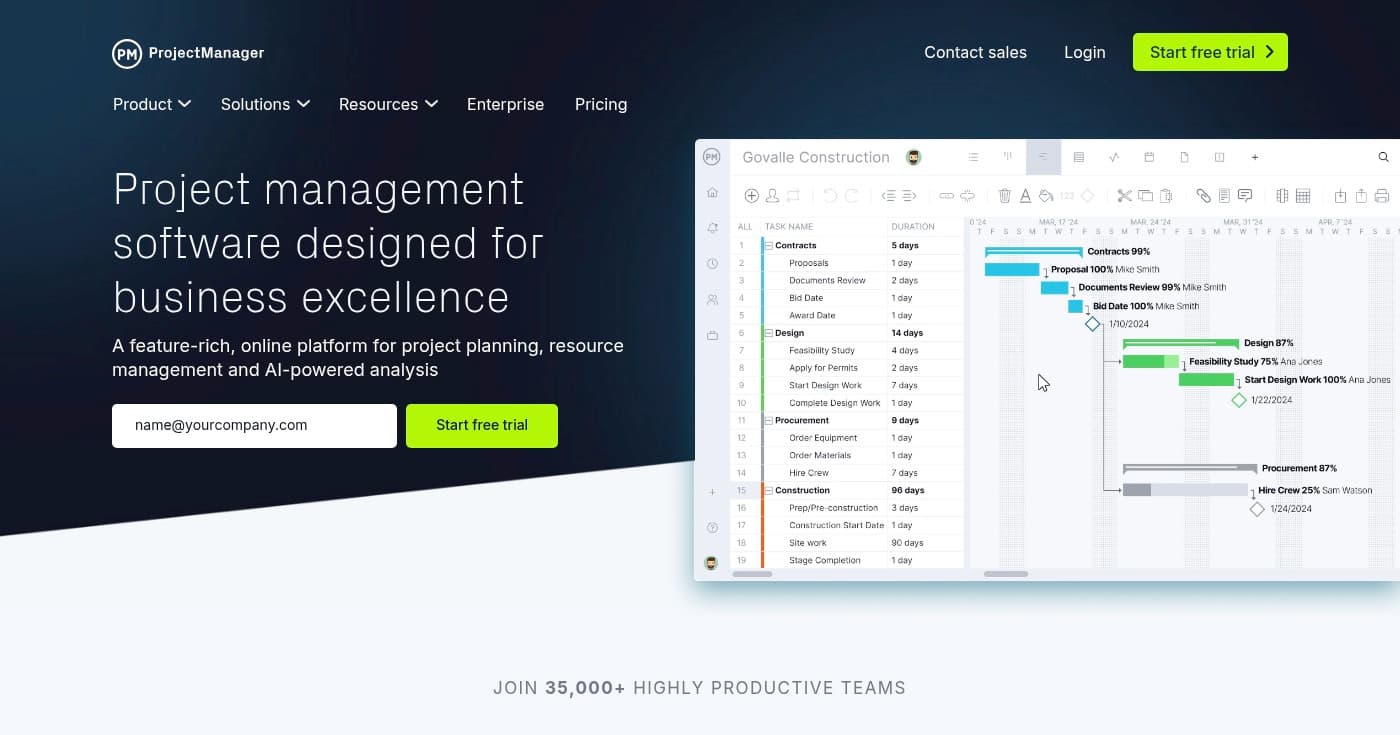
ProjectManager is a feature-rich, online project management platform designed for planning, resource management, and AI-powered analysis. Serving 35,000+ teams worldwide, the platform helps organizations bring agility, accuracy, and insights to their project portfolios across construction, manufacturing, IT, and professional services industries.
The platform excels at managing complex projects with multiple dependencies, resource constraints, and budget requirements. With comprehensive Gantt charts, Kanban boards, and task management capabilities, ProjectManager provides the flexibility to manage projects using any methodology.
What sets ProjectManager apart is its robust resource management and cost tracking features. Teams can visualize workloads, allocate resources effectively, track time, and monitor budgets in real-time. The mobile app enables field teams to update progress, log time, and access project information from anywhere, ensuring office and field teams stay synchronized.
Key Features
- Comprehensive Gantt Charts: Create detailed project schedules with dependency planning, critical path filtering, and baseline tracking to monitor schedule variance and keep projects on track.
- Advanced Resource Management: Visualize team workloads, allocate resources across multiple projects, and prevent overallocation with real-time capacity planning and utilization tracking.
- Cost Analysis and Budget Tracking: Monitor project costs in real-time, track budget variance, and analyze profitability with comprehensive financial reporting and forecasting capabilities.
- Mobile App for Field Updates: Enable field teams to update task progress, log time, capture photos, and access project plans from mobile devices, ensuring real-time synchronization with office teams.
- AI-Powered Analysis: Leverage artificial intelligence to identify project risks, predict delays, and receive actionable recommendations for keeping initiatives on schedule and within budget.
Pricing
ProjectManager offers Team, Business, and Enterprise plans with pricing available upon request. Contact their sales team or visit their pricing page for detailed quotes based on your team size and requirements.
- Team: Contact for pricing
- Business: Contact for pricing
- Enterprise: Contact for pricing
View pricing details
Pros
- Comprehensive planning and execution capabilities for complex projects
- Suitable for multiple industries including construction and manufacturing
- Mobile app enables real-time field team updates
- Advanced resource management and cost tracking
- AI-powered insights identify risks and predict delays
Cons
- Pricing not transparently displayed online
- May be overly complex for small teams or simple projects
- Requires significant learning curve to utilize all features
- No free plan available
7. GanttPRO
Best for Visual project planning with Gantt charts
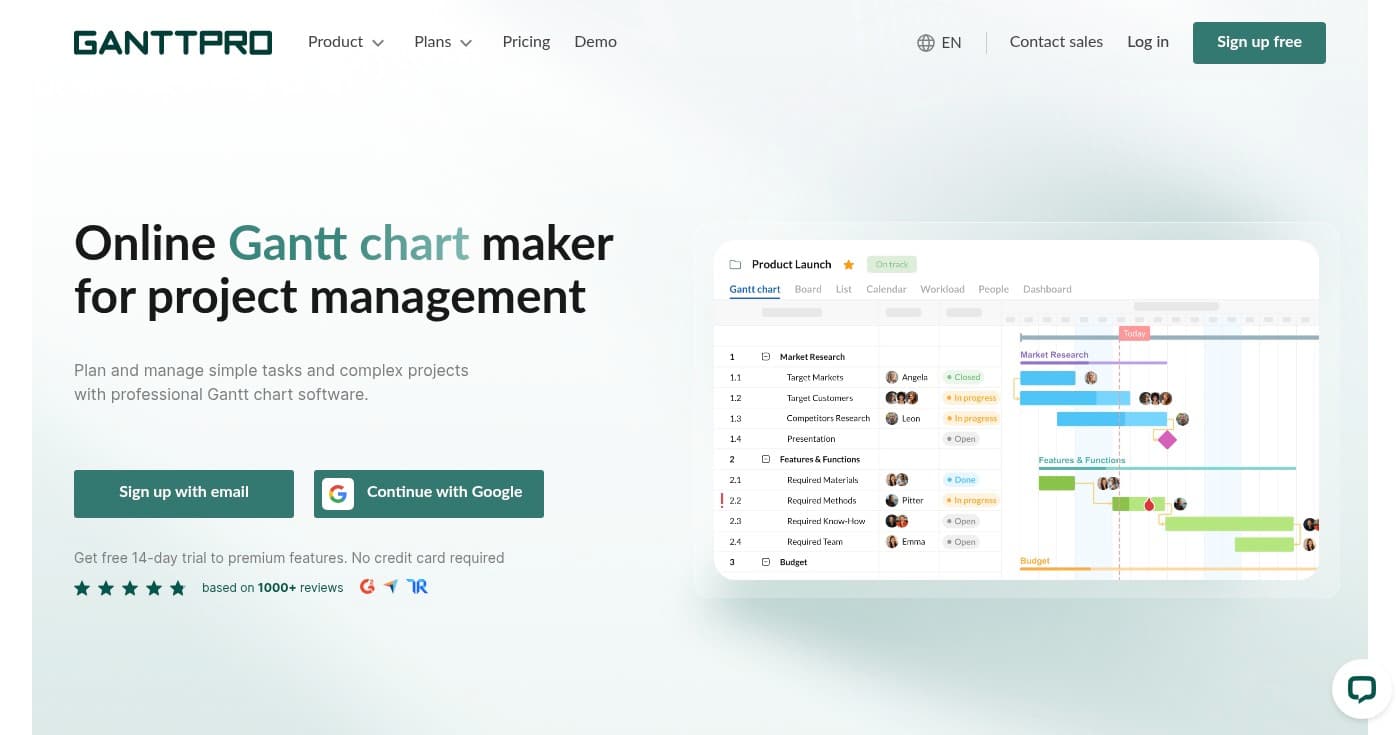
GanttPRO is an online Gantt chart maker specifically designed for project planning and management. The platform helps teams plan and manage both simple tasks and complex projects with interactive Gantt charts, work breakdown structures, and real-time collaboration features.
GanttPRO focuses on providing the best Gantt chart experience in the industry, with intuitive drag-and-drop functionality, automatic scheduling, and visual timeline management. The platform makes it easy to create project schedules, define task dependencies, and identify critical paths without requiring extensive project management training.
The platform is trusted by 800,000+ users worldwide and offers powerful sharing capabilities. Teams can share Gantt charts with stakeholders through private links, export charts in multiple formats, and choose between static snapshots or dynamic views that update in real-time as the project evolves.
Key Features
- Interactive Gantt Charts: Create visual project timelines with drag-and-drop functionality, automatic scheduling, and real-time updates that make complex project planning intuitive and accessible.
- Work Breakdown Structure: Organize projects hierarchically with work breakdown structures that break complex initiatives into manageable tasks, subtasks, and milestones.
- Task Dependencies and Critical Path: Define relationships between tasks, identify critical paths automatically, and understand which activities directly impact your project completion date.
- Real-Time Collaboration: Enable team members to collaborate simultaneously on project plans with real-time updates, comments, and notifications that keep everyone aligned.
- Flexible Sharing and Export Options: Share Gantt charts with stakeholders via private links, export to PDF or PNG, and choose between static snapshots or dynamic views that update automatically.
Pricing
GanttPRO offers a 14-day free trial with no credit card required. The Core plan starts at $7 per user per month (billed annually), Advanced at $10 per user per month, and Business at $17 per user per month. For enterprise pricing, visit their pricing page.
- Core: $7/user/month (billed annually)
- Advanced: $10/user/month (billed annually)
- Business: $17/user/month (billed annually)
- Enterprise: Custom pricing
View pricing details
Pros
- Intuitive Gantt chart interface with minimal learning curve
- Free 14-day trial with no credit card required
- Supports both simple and complex project planning
- Real-time collaboration keeps teams aligned
- Flexible sharing options for stakeholder communication
- Trusted by 800,000+ users worldwide
Cons
- Focused primarily on Gantt chart functionality
- Limited platform availability (web-only)
- No free plan available after trial period
8. OpenProject
Best for Open source with data sovereignty
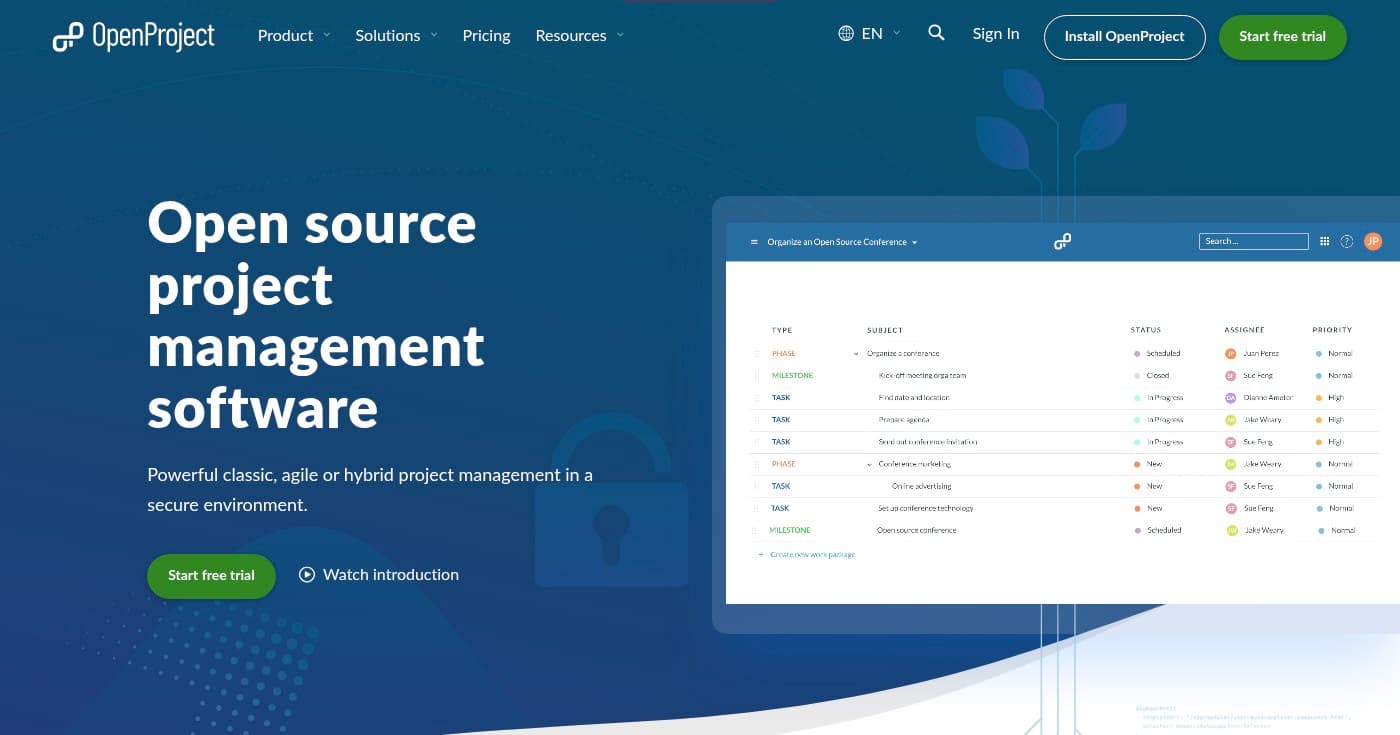
OpenProject is an open source project management software that supports classic, agile, and hybrid project management approaches. Released under the GNU GPL v3 license, OpenProject offers complete transparency, data sovereignty, and security with options for on-premises installation or EU-based cloud hosting.
What distinguishes OpenProject is its commitment to data sovereignty and security. Organizations can choose to host the software on their own infrastructure, maintaining complete control over sensitive project data, or use the secure cloud hosting option based in the EU and Germany with HTTPS encryption and two-factor authentication.
The platform provides comprehensive project management capabilities including Gantt charts for traditional planning, agile boards for Scrum and Kanban workflows, and a Team Planner for workload visualization. With a powerful API and open source codebase, OpenProject can be customized and extended to meet specific organizational requirements.
Key Features
- Gantt Charts for Classic Project Management: Plan and schedule projects with interactive Gantt charts that support task dependencies, milestones, and critical path analysis for traditional waterfall methodologies.
- Agile Boards for Scrum and Kanban: Manage agile projects with dedicated boards for Scrum sprints and Kanban workflows, including backlog management, sprint planning, and velocity tracking.
- On-Premises Installation Option: Install OpenProject on your own infrastructure to maintain complete control over project data, ensure compliance with data residency requirements, and customize the platform extensively.
- EU-Based Secure Cloud Hosting: Choose secure cloud hosting based in the EU and Germany with HTTPS encryption, two-factor authentication, and compliance with European data protection regulations.
- Open Source Transparency: Access the complete source code under GNU GPL v3 license, audit security implementations, contribute to development, and customize the platform without vendor lock-in.
Pricing
OpenProject is free to use as open source software. Cloud hosting plans start at €5.95 per user per month for Basic, €10.95 per user per month for Professional, and €15.95 per user per month for Premium. For corporate pricing, visit their pricing page.
- Community: Free
- Basic: €5.95/user/month
- Professional: €10.95/user/month
- Premium: €15.95/user/month
- Corporate: Contact for pricing
View pricing details
Pros
- Open source with complete transparency and no vendor lock-in
- Complete data control with on-premises installation option
- High security standards with encryption and two-factor authentication
- EU-based cloud hosting ensures data sovereignty
- Supports classic, agile, and hybrid project management approaches
- Powerful API for customization and integration
Cons
- On-premises installation requires technical expertise
- May require more configuration than SaaS alternatives
- Community support for free version versus paid support for cloud plans
9. Wrike
Best for Enterprise teams needing AI-powered analytics
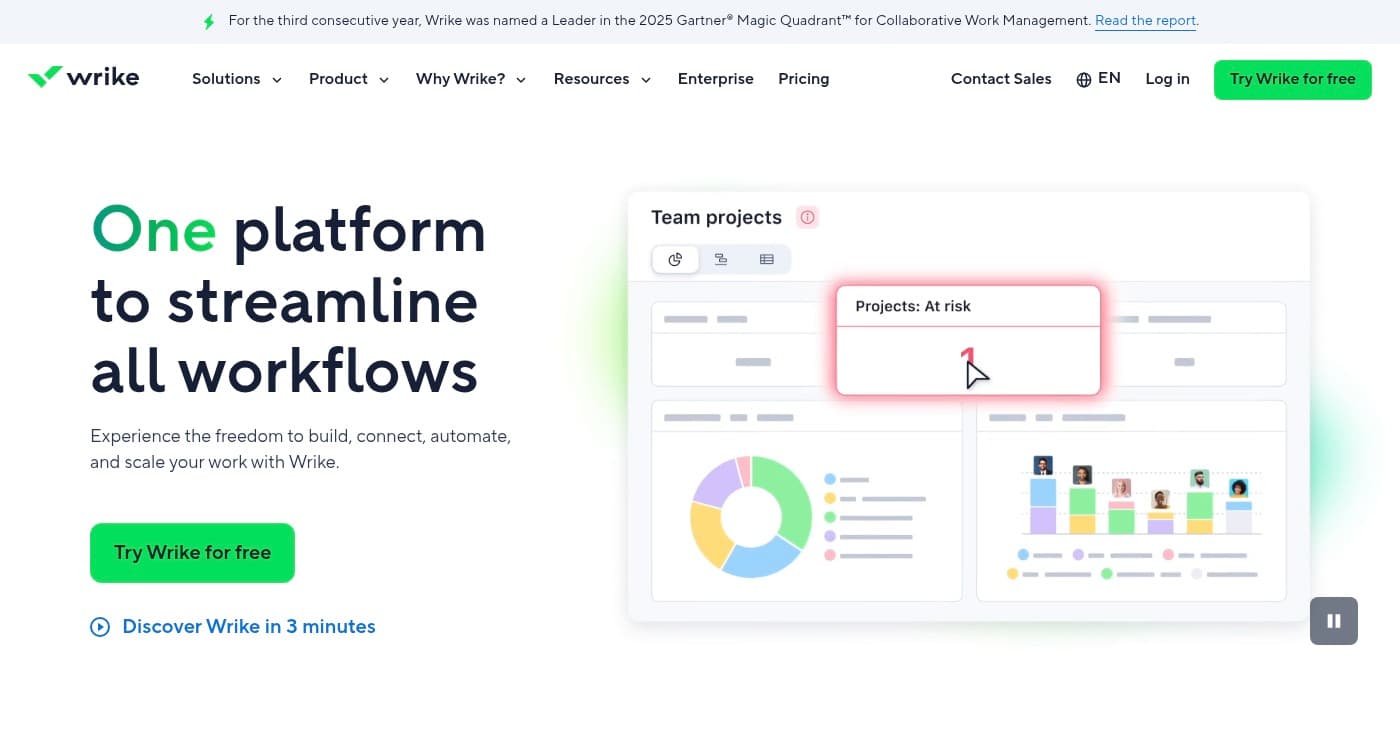
Wrike is an AI-powered enterprise work management software that enables teams to build, connect, automate, and scale workflows across departments and projects. Named a Leader in the 2025 Gartner Magic Quadrant for Collaborative Work Management, Wrike is trusted by 20,000+ customers worldwide including major enterprises.
The platform provides a unified workspace for ideation, planning, execution, reporting, and analysis across entire organizations. With AI-powered tools, Wrike automates routine tasks, provides intelligent insights, and helps teams make data-driven decisions faster.
Wrike's visual collaboration platform, powered by Klaxoon, enables teams to brainstorm, plan, and execute projects in interactive workspaces. The platform offers 360° visibility across projects and departments, ensuring leadership has real-time insights into progress, resource utilization, and potential bottlenecks.
Key Features
- AI-Powered Work Intelligence: Leverage artificial intelligence to automate routine tasks, generate insights from project data, predict risks, and receive intelligent recommendations for optimization.
- Visual Collaboration Platform: Collaborate in interactive visual workspaces powered by Klaxoon for brainstorming, planning, and executing projects with real-time team engagement.
- Request Forms and Intake Management: Standardize work requests with customizable forms that automatically create projects, assign tasks, and route work to the appropriate teams.
- Advanced Analytics and Dashboards: Gain 360° visibility with customizable dashboards, advanced analytics, and real-time reporting that provide insights into project health, resource utilization, and team performance.
- Proofing and Approvals: Streamline creative review processes with markup tools, version control, and approval workflows that accelerate feedback cycles and reduce revision rounds.
Pricing
Wrike offers a free plan for small teams, with the Team plan at $10 per user per month, Business at $25 per user per month, and custom Enterprise pricing. For detailed feature comparisons, visit their pricing page.
- Free: $0/user/month
- Team: $10/user/month
- Business: $25/user/month
- Enterprise: Contact for pricing
View pricing details
Pros
- Named Leader in 2025 Gartner Magic Quadrant
- Trusted by 20,000+ customers worldwide
- AI-powered analytics and automation
- Adaptable to teams of any size and industry
- 360° visibility across projects and departments
- Visual collaboration platform for interactive planning
Cons
- Full feature set may be complex for small teams
- Advanced features limited to higher-tier plans
- Enterprise pricing not transparent online
10. Teamwork
Best for Client-focused agencies managing profitability
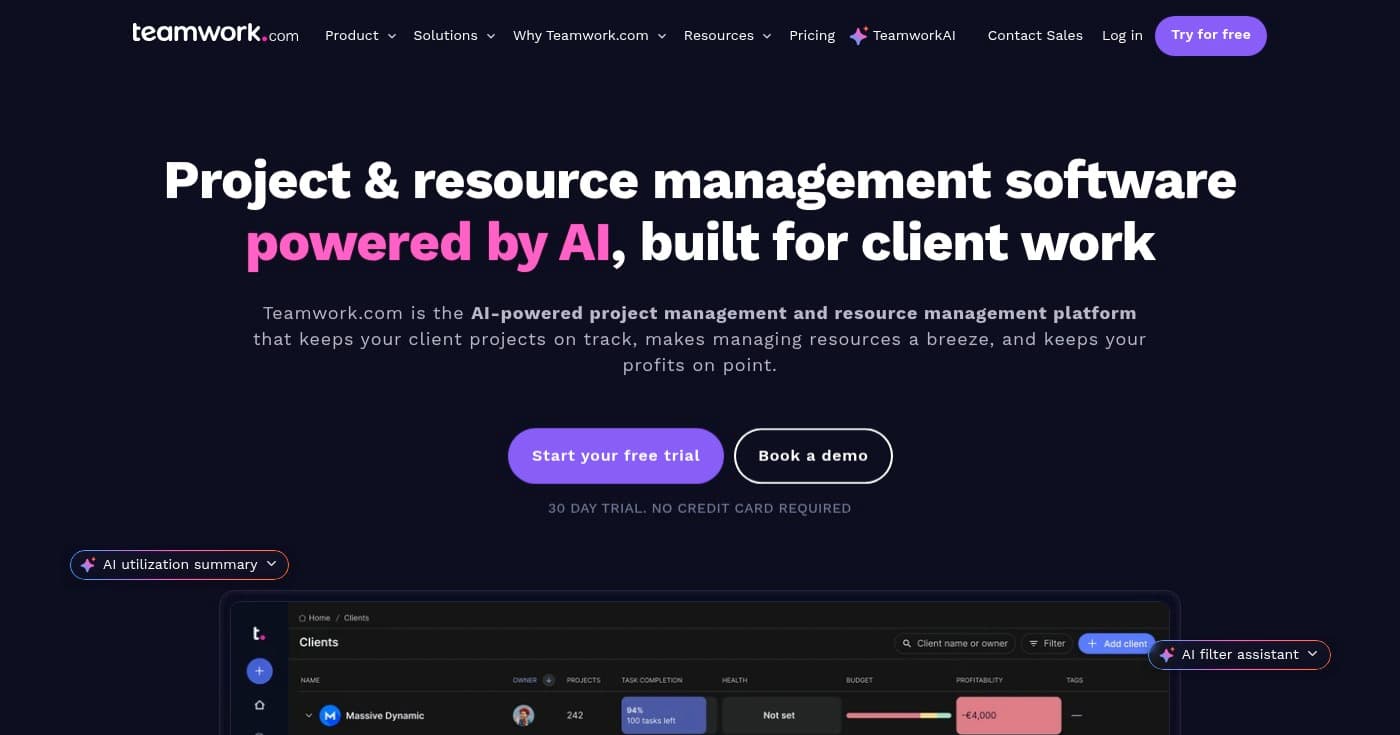
Teamwork is an AI-powered project and resource management platform specifically designed for client-focused teams and agencies. The platform connects projects, time tracking, resource allocation, budgets, and reporting in one integrated system, with AI features that automate project setup, smart scheduling, and profitability forecasting.
What sets Teamwork apart is its focus on profitability management for client work. The platform tracks billable versus non-billable time, monitors budgets with overspend alerts, and provides AI-powered utilization summaries that help agencies maximize profitability across their client portfolio.
The AI project wizard accelerates project setup by automatically creating tasks, milestones, and timelines based on project type and requirements. The AI smart scheduler then assigns resources based on availability, skills, and workload, eliminating hours of manual planning and ensuring optimal resource utilization.
Key Features
- AI Project Wizard: Accelerate project setup with AI-powered automation that creates tasks, milestones, and timelines based on project templates and requirements, reducing setup time from hours to minutes.
- AI Smart Scheduler: Automatically assign resources based on availability, skills, workload, and project requirements, optimizing resource allocation and preventing overallocation.
- Workload Planner and Capacity Management: Visualize team capacity across all projects, identify overallocation risks, and balance workloads to prevent burnout and maintain realistic delivery timelines.
- Budget Tracking with Overspend Alerts: Monitor project budgets in real-time with automatic alerts when projects approach or exceed budget thresholds, preventing financial surprises and protecting margins.
- Profitability Forecasting: Forecast project profitability based on current progress, resource allocation, and budget consumption, enabling proactive adjustments to protect margins.
Pricing
Teamwork offers a free plan with the Deliver plan starting at $10.99 per user per month (billed yearly with 20% discount) and Grow at $19.99 per user per month (billed yearly). For Scale and Enterprise pricing, visit their pricing page.
- Free: $0
- Deliver: $10.99/user/month (billed yearly)
- Grow: $19.99/user/month (billed yearly)
- Scale: Contact for pricing
- Enterprise: Contact for pricing
View pricing details
Pros
- AI-powered automation reduces administrative work significantly
- Integrated project, resource, and financial management
- Smart scheduling saves hours on resource allocation
- Real-time budget tracking prevents overspending
- Profitability forecasting helps agencies protect margins
- Purpose-built for client-focused teams and agencies
Cons
- Learning curve to utilize all features effectively
- Advanced features limited to higher-tier plans
- Free trial limited to 30 days
How to Choose
Selecting the ideal project management software depends on your team size, industry, project complexity, and specific workflow requirements. Consider these crucial factors:
- Team Size and Scalability: Evaluate whether the platform can accommodate your current team size and scale as you grow. Small teams may benefit from affordable solutions like Paymo or free plans from Hive and Wrike, while enterprises managing hundreds of users should consider platforms like Wrike or Microsoft Project that offer robust user management, permissions, and enterprise-grade security.
- Industry-Specific Requirements: Some industries have unique project management needs. Construction teams should prioritize platforms like Fieldwire with mobile plan viewing, offline capabilities, and punch list management. Creative agencies benefit from tools like Teamwork with profitability tracking and client portals, while IT teams may prefer platforms with agile boards and sprint planning like OpenProject or Zoho Projects.
- Methodology and Workflow Flexibility: Consider whether you need support for specific project management methodologies. Teams using traditional waterfall approaches should prioritize Gantt chart capabilities found in GanttPRO or Microsoft Project. Agile teams need Kanban boards and sprint planning features available in Wrike and OpenProject. Many modern teams benefit from hybrid platforms like Hive that support multiple methodologies simultaneously.
- Integration with Existing Tools: Evaluate how well the platform integrates with your current tech stack. Microsoft Project is ideal for organizations already using Microsoft 365, while Zoho Projects excels for teams in the Zoho ecosystem. Consider whether you need integrations with communication tools (Slack, Teams), file storage (Google Drive, Dropbox), or industry-specific applications, and verify these integrations are available before committing.
- Budget and Total Cost of Ownership: Look beyond the base subscription price to understand the total cost. Consider whether advanced features require higher-tier plans, if there are additional costs for storage or integrations, and how pricing scales with team growth. Platforms like OpenProject offer free open source options, while enterprise solutions may require custom pricing. Calculate the cost per user per month and ensure it aligns with your budget constraints and expected ROI.
Common Misconceptions: A common misconception is that more expensive platforms are always better. In reality, the best project management software is the one that matches your specific needs and that your team will actually use consistently. Another frequent mistake is choosing a platform based solely on features without considering user adoption—a simple, intuitive tool that your team embraces will deliver better results than a feature-rich platform that sits unused. Finally, don't overlook the importance of mobile access and offline capabilities, especially for teams with field workers or remote employees who need to update projects from various locations.
Industry Trends
The project management software landscape is evolving rapidly with emerging technologies and changing work patterns. Here are the key trends shaping the industry:
- AI-Powered Automation and Intelligent Scheduling: Artificial intelligence is transforming project management with automated task creation, intelligent resource scheduling, and predictive analytics. Platforms like Teamwork and Wrike now use AI to set up projects automatically, assign resources based on skills and availability, and forecast project risks before they become critical issues. Research indicates that AI-powered project management tools can reduce administrative work by up to 80% by 2030.
- Hybrid Work and Mobile-First Capabilities: As remote and hybrid work models become permanent, project management platforms are prioritizing mobile experiences and offline capabilities. Tools like Fieldwire demonstrate this trend with full offline editing and real-time synchronization, enabling field teams to work without constant connectivity. Studies show that 74% of companies plan to permanently shift to hybrid work models, driving demand for mobile-optimized project management solutions.
- Integrated Financial and Resource Management: Modern project management platforms are expanding beyond task tracking to include comprehensive financial management, profitability forecasting, and resource optimization. Platforms like Teamwork and ProjectManager now offer built-in budget tracking, billable hour management, and profitability analytics that help agencies and professional services firms maximize margins. This integration eliminates the need for separate financial tools and provides real-time visibility into project economics.
Frequently Asked Questions
What's the most popular project management software?
Based on market share and user adoption, Microsoft Project and Wrike are among the most popular enterprise project management platforms. Microsoft Project benefits from integration with the Microsoft 365 ecosystem used by millions of organizations, while Wrike was named a Leader in the 2025 Gartner Magic Quadrant for Collaborative Work Management and serves 20,000+ customers worldwide. For small to medium teams, platforms like Hive, Zoho Projects, and Teamwork have gained significant popularity due to their comprehensive features and affordable pricing.
What is the easiest project management software to use?
For ease of use, Hive and GanttPRO consistently receive high marks for intuitive interfaces and minimal learning curves. Hive offers a clean, modern interface with customizable views that adapt to different work styles, while GanttPRO focuses specifically on making Gantt chart creation simple with drag-and-drop functionality. Microsoft Project is also considered easy for teams already familiar with Microsoft products, as it leverages familiar scheduling concepts and interfaces. For construction teams, Fieldwire is designed specifically for jobsite use with mobile-first interfaces that require minimal training.
What software does PMP use?
PMP (Project Management Professional) certified professionals don't use one specific software—the PMP certification focuses on project management principles and methodologies rather than specific tools. However, PMP-certified project managers commonly use enterprise-grade platforms like Microsoft Project, ProjectManager, and Wrike that support traditional project management methodologies including work breakdown structures, Gantt charts, critical path analysis, and resource leveling. These platforms align with the PMBOK (Project Management Body of Knowledge) framework taught in PMP certification programs.
Are there good free project management software options?
Yes, several platforms offer robust free plans. Hive, Wrike, OpenProject, Zoho Projects, Paymo, and Teamwork all provide free tiers with core project management features. OpenProject stands out as completely free open source software with no user limits when self-hosted. For small teams, these free plans often include essential features like task management, basic Gantt charts, and team collaboration. However, advanced features like time tracking, resource management, and integrations typically require paid plans.
How much does project management software typically cost?
Project management software pricing varies widely based on features and team size. Entry-level plans start at $5-10 per user per month (Hive at $5, Wrike at $10, Teamwork at $10.99), mid-tier plans range from $10-25 per user per month (Microsoft Project at $12.50, Wrike Business at $25), and enterprise solutions often require custom pricing. Industry-specific tools like Fieldwire start at $39 per user per month for construction features. Most platforms offer discounts for annual billing, typically 20% off monthly rates.
Conclusion
Choosing the right project management software can transform how your team collaborates, executes projects, and delivers results. Whether you need an all-in-one platform like Hive with AI automation, industry-specific tools like Fieldwire for construction, or enterprise-grade solutions like Wrike with advanced analytics, there's a platform designed for your specific requirements.
For small businesses and agencies prioritizing affordability and time tracking, Paymo and Teamwork offer comprehensive features at competitive prices. Organizations requiring data sovereignty should consider OpenProject with its open source flexibility and on-premises options. Teams already invested in the Microsoft or Zoho ecosystems will benefit from the seamless integration offered by Microsoft Project and Zoho Projects.
The key is matching the platform's strengths to your team's workflow, industry requirements, and growth trajectory. Start with free trials or free plans to test usability and feature fit before committing to paid subscriptions. With the right project management software, you'll streamline workflows, improve visibility, and empower your team to deliver exceptional results consistently.